New: Announcing our Series A funding

One platform replaces the assembled stack

Database, cache, gateway, AI. ContextOS provisions them all as one stack. From your first commit.

Introducing ContextOS

Every layer from hardware to your application code is owned, managed, and connected by ContextOS. There is no gap between layers, and nothing for you to wire together.

Platform features

ContextOS Platform

Running Workload

Running workload

From a git repository to a running workload

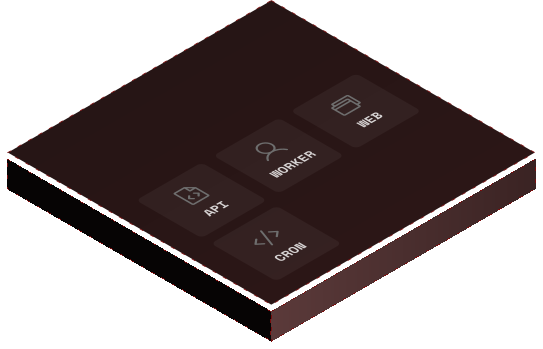
Point ContextOS at a git repository and it builds your code, schedules it onto bare metal, attaches the network, and runs it. You stay in full control of every instance: log in, debug live, observe in real time.

Managed Services

Managed Services

Every service your application needs, ready when you ask

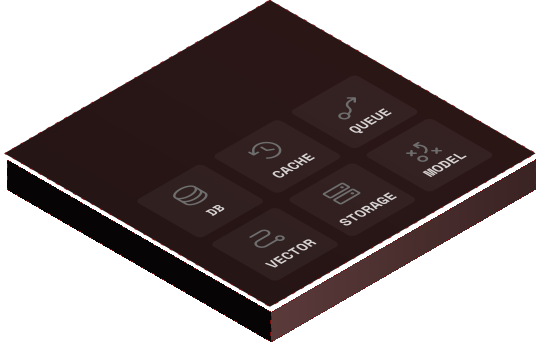
Databases, caches, queues, vector stores, GPU runtimes, and more. ContextOS provisions each one on bare metal, secures it by default, scales it automatically, and connects it to your workloads the moment you declare it.

Private Network

Private Network

A private network for every workload, built at startup

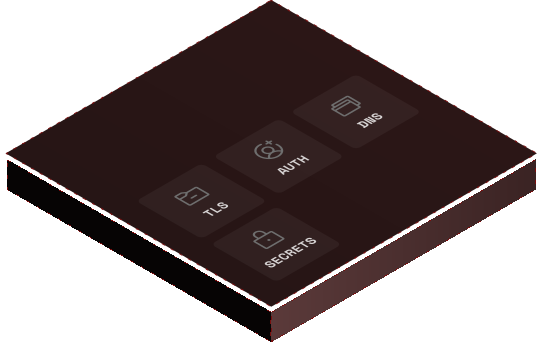
Every container and VM gets its own dedicated network, constructed when the workload starts and scoped to its specific permissions. Credentials, certificates, and routing are delivered automatically. There is no service mesh to operate.

Scaling Workloads

Scaling Workloads

Workloads scale based on real load, automatically

Every workload on ContextOS scales based on actual demand, from a single instance to multi-region capacity. There are no thresholds to configure and no capacity to pre-provision. The platform watches utilisation and acts before performance degrades.

Scaling Resource Pool

Scaling Resource Pool

Your servers as a single resource pool

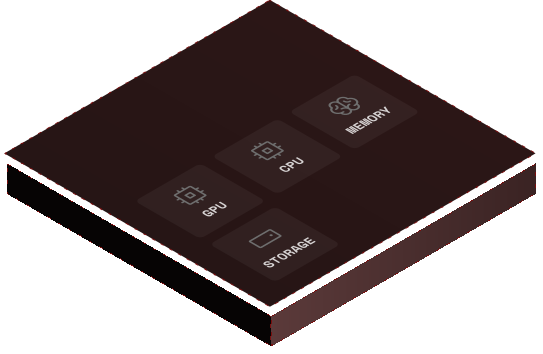
ContextOS pools CPU, memory, GPU, and storage across every server in your deployment, then schedules each workload onto the hardware that fits it best. You never pick which server runs what.

Platform features

ContextOS Platform

From a git repository to a running workload

Point ContextOS at a git repository and it builds your code, schedules it onto bare metal, attaches the network, and runs it. You stay in full control of every instance: log in, debug live, observe in real time.

ContextOS handles everything from build to runtime, but never abstracts you away from the workload itself. You always have direct access to running instances, with full visibility and full debugging capability.

Build, automatically

ContextOS clones your repository and produces a production-ready workload image from your source code. There are no Dockerfiles to write, no build pipelines to maintain, and no image registries to operate. Once your image is built and deployed, it belongs to you and ContextOS does not modify it after the fact.

Placement, across your regions

You pick the regions where your workload should run, choosing from ContextOS cloud regions, your own datacenter running self-hosted ContextOS, or both at once. Within those regions, the platform schedules your workload onto bare metal based on the resources it needs and the redundancy requirements you set.

The network attaches at startup

Before your workload receives its first request, the Zero Trust Bridge attaches to the instance. It constructs a private network scoped to this specific workload's permissions, then delivers connection details, credentials, and certificates so your application starts with everything it needs.

You stay in control at runtime

ContextOS gives you complete visibility into every instance: log into any running container or VM, observe traffic and logs in real time, and debug live. There is no abstraction layer between you and the workload, and no intermediate resolution layer for connections, because ContextOS owns the full network.

Lifecycle, handled

Failed instances restart automatically. New commits trigger zero-downtime redeploys, with old instances staying live until new ones are healthy. Workloads scale up and down by load. Whether the code came from your team, an AI coding agent, or a legacy application from years ago, the process is the same.

Every service your application needs, ready when you ask

Databases, caches, queues, vector stores, GPU runtimes, and more. ContextOS provisions each one on bare metal, secures it by default, scales it automatically, and connects it to your workloads the moment you declare it.

Most platforms give you compute and leave the rest to you. ContextOS treats services as first-class citizens of the platform, with the same automatic provisioning, scaling, and security that applies to your workloads.

Provisioning on bare metal

Every service runs directly on hardware managed by ContextOS, not inside shared Kubernetes clusters and not on noisy-neighbour cloud VMs. Resources are sized dynamically based on actual usage, and they adjust as demand changes. You never choose an instance type or pick a database size.

High availability, by default

Every service is deployed with redundancy. ContextOS distributes instances across hardware to eliminate single points of failure, monitors health continuously, and recovers from node failures automatically. For stateful services, incremental backups run continuously without you having to configure a backup window.

Credentials, handled at runtime

Credentials are generated at provisioning, stored securely, and never written to disk in plaintext. Developers never handle them directly. Rotation happens automatically on a continuous schedule, so your application always has valid credentials without anyone thinking about expiry.

Network access, granted dynamically

There are no static network addresses to configure, and no pre-configured firewall rules to maintain. The Zero Trust Bridge grants access dynamically based on how your application is defined, and nothing outside your deployment can reach a service without an explicit grant.

The service catalog
  • PostgreSQL
  • Vector DB
  • Message queue
  • Object storage
  • In-memory cache
  • GPU model runtime
  • Embedding pipeline
  • RAG service
  • Web gateway
  • TLS termination
  • Load balancer
  • Background workers

A private network for every workload, built at startup

Every container and VM gets its own dedicated network, constructed when the workload starts and scoped to its specific permissions. Credentials, certificates, and routing are delivered automatically. There is no service mesh to operate.

The Zero Trust Bridge is the networking and credential layer of ContextOS. Every workload knows what it can connect to, how to connect, and has everything it needs to do so the moment it starts running.

What it replaces

Traditional infrastructure requires developers to configure how services find each other: DNS records, environment variables, credentials files, firewall rules. Every environment needs its own version, and moving a workload between development, staging, and production means translating it all over again. The Zero Trust Bridge eliminates that work entirely. ContextOS knows the full topology of your deployment, and the Bridge translates that knowledge into a live network at runtime.

The host process

The Bridge launches as a process on the host system before your workload starts. It is provisioned with this specific workload's connection permissions, DNS values, and credentials. Everything is scoped entirely to this instance: nothing the Bridge does for one workload affects any other.

DNS, scoped to the workload

A dedicated DNS server runs inside this workload's network namespace, holding the routing for every service and peer it can reach. The same code that resolves primary-db in development resolves primary-db in staging and production. There is no environment-specific configuration to manage.

The Bridge API

A Bridge API is available inside every workload, where the application can retrieve connection details, credentials, certificates, and configuration. Credentials are live and rotated automatically, so applications always have valid access without any developer intervention.

Zero trust, literally

The Bridge does not grant access based on network location. Every connection is authenticated at the service level, using mutual TLS, token authentication, or the strongest mechanism the target service supports. Being on the same network is not enough. Every workload proves its identity on every connection.

Workloads scale based on real load, automatically

Every workload on ContextOS scales based on actual demand, from a single instance to multi-region capacity. There are no thresholds to configure and no capacity to pre-provision. The platform watches utilisation and acts before performance degrades.

Scaling on ContextOS is continuous and automatic. The platform watches load, allocates resources, and rebalances across machines and datacenters. You set the pace; the platform does the rest.

Different models for different workloads

Containers and VMs scale horizontally, with ContextOS adding instances when load rises and removing them when it falls. Managed services scale in both directions, adding instances for read throughput and resizing vertically as data volumes grow. There are no instance tiers to choose, and no size decisions to make in advance.

What the platform watches

ContextOS tracks CPU utilisation for every workload type, memory pressure for stateless and stateful services, and GPU utilisation as a first-class signal for AI workloads. These signals are tracked per instance and aggregated across the deployment, so scaling decisions are based on the system as a whole rather than on any single component.

You set the pace

Three scaling profiles ship by default. Responsive is for spiky consumer apps that need to react quickly. Balanced is the default for most production workloads. Steady is for predictable workloads like batch pipelines where conservative scaling is appropriate. You can also pin a static instance count for workloads that need exact control.

Zero thresholds, zero tuning

There are no minimum or maximum instance counts to set, no target CPU percentages to specify, and no cooldown timers to configure. ContextOS monitors continuously and acts on utilisation trends before performance degrades. The only input you provide is how aggressively to scale.

Your servers as a single resource pool

ContextOS pools CPU, memory, GPU, and storage across every server in your deployment, then schedules each workload onto the hardware that fits it best. You never pick which server runs what.

ContextOS treats your servers as one large computer. Resources are aggregated into a single pool, and workloads are placed wherever they fit.

A single pool of resources

Every CPU, memory bank, GPU, and disk across your servers is aggregated into one pool. When you deploy a workload, ContextOS finds the right hardware to run it on, then makes that resource available to your application. You never think about which physical server is doing the work.

Storage that provisions itself

Distributed storage systems are built dynamically across whatever hardware you have available, shared between deployments or dedicated to a single application. There are no backends to configure, no RAID arrays to manage, and no SANs to operate. Storage becomes something you consume, not something you maintain.

Manual control when you need it

ContextOS handles scaling and resource allocation automatically, but every parameter is exposed for override. Pin instance counts, set hard limits on CPU and memory, or specify exact storage requirements. Changes take effect without redeploying.

A unified pool, in numbers
CPU 1,248 cores across 52 servers
Memory 9.8 TB across 52 servers
GPU 128 units across 16 servers
Storage 2.4 PB total
Use Cases

Built for the workloads you actually run

Web apps, AI apps, and inference workloads. See how ContextOS builds each stack for you.

For web teams

Web applications

Frontend, API, database, cache, queue, gateway, and storage. ContextOS provisions every layer and connects them automatically.

See use case
For AI builders

AI applications

Vector databases, RAG pipelines, GPU runtimes, embeddings, and queues. Provisioned together as a single stack from your first commit.

See use case
For ML teams

Inference

Serve open-weight models over an authenticated gateway with a continual RAG pipeline. The entire AI serving stack, managed by the platform.

See use case
FAQ

Frequently Asked Questions

ContextOS replaces Kubernetes entirely. There are no control planes, no node pools, no YAML manifests, and no Helm charts in a ContextOS deployment. Workload scheduling, scaling, and lifecycle management are built directly into the platform.

If you are running Kubernetes today, ContextOS replaces both Kubernetes and everything you have built on top of it: Backstage, Port, internal platforms, observability stacks. One platform takes the place of the whole assembly.

Yes. ContextOS runs on AWS, GCP, Azure, your own hardware, or in hybrid configurations across all of them. KVM-based virtualisation gives you genuine portability across deployment targets, so the same platform behaves identically whether it is running in our cloud or in your datacenter.

This matters for regulated industries and for teams where data sovereignty is non-negotiable.

Yes. ContextOS gives you direct access to every running container and VM. You can log in, observe traffic and logs in real time, and debug live. There is no abstraction layer between you and the workload, and your instances are not opaque to you.

A service mesh sits inside your Kubernetes cluster and adds a layer of proxies to manage service-to-service traffic. It still requires configuration, certificate management, and operational overhead. It is something you operate.

The Zero Trust Bridge is part of the platform substrate itself, not a layer added on top. There is no proxy layer to configure, no certificates to rotate by hand, and no mesh control plane to operate. Every connection is authenticated and encrypted by default, and credentials rotate automatically.

It depends on the scaling profile you pick. Three profiles ship by default: Responsive for spiky consumer apps that need to react quickly, Balanced as the default for most production workloads, and Steady for predictable workloads like batch pipelines.

You set the profile per workload, and ContextOS monitors continuously and acts on utilisation trends before performance degrades.

Twelve service types ship by default: PostgreSQL, vector databases, message queues, object storage, in-memory caches, GPU model runtimes, embedding pipelines, RAG services, web gateways, TLS termination, load balancers, and background workers.

Each one is provisioned, sized, secured, and connected automatically. There are no instance tiers to choose and no configuration files to maintain.

Yes. ContextOS runs on your own hardware as a self-hosted installation, with the same platform, the same operations, and the same APIs as the managed cloud version. You can run in our cloud, on your own hardware, or both at once in hybrid configurations.

GPU is a first-class resource on ContextOS. GPU utilisation is tracked alongside CPU and memory as a scaling signal, and the platform handles GPU placement, request batching, and autoscaling. Model runtimes, embedding pipelines, vector databases, and RAG services are all part of the managed services catalog.

For a full breakdown, see the AI-native use case page.

Your AI stack,
running in minutes.

Join the closed beta. Ship your first AI app this week.